The sprite editor allows you to edit sprite definitions used to create sprites in the stage editor. A definition can have animations and the collider shapes uses in physics simulations.
At the far left of the screen there are 2 buttons:
At the top of the Sprite Editor is a text field labeled "Sprite ID" where you can change the name of the Sprite. To the right of the Sprite ID field, the dimensions of the sprite frame are shown.
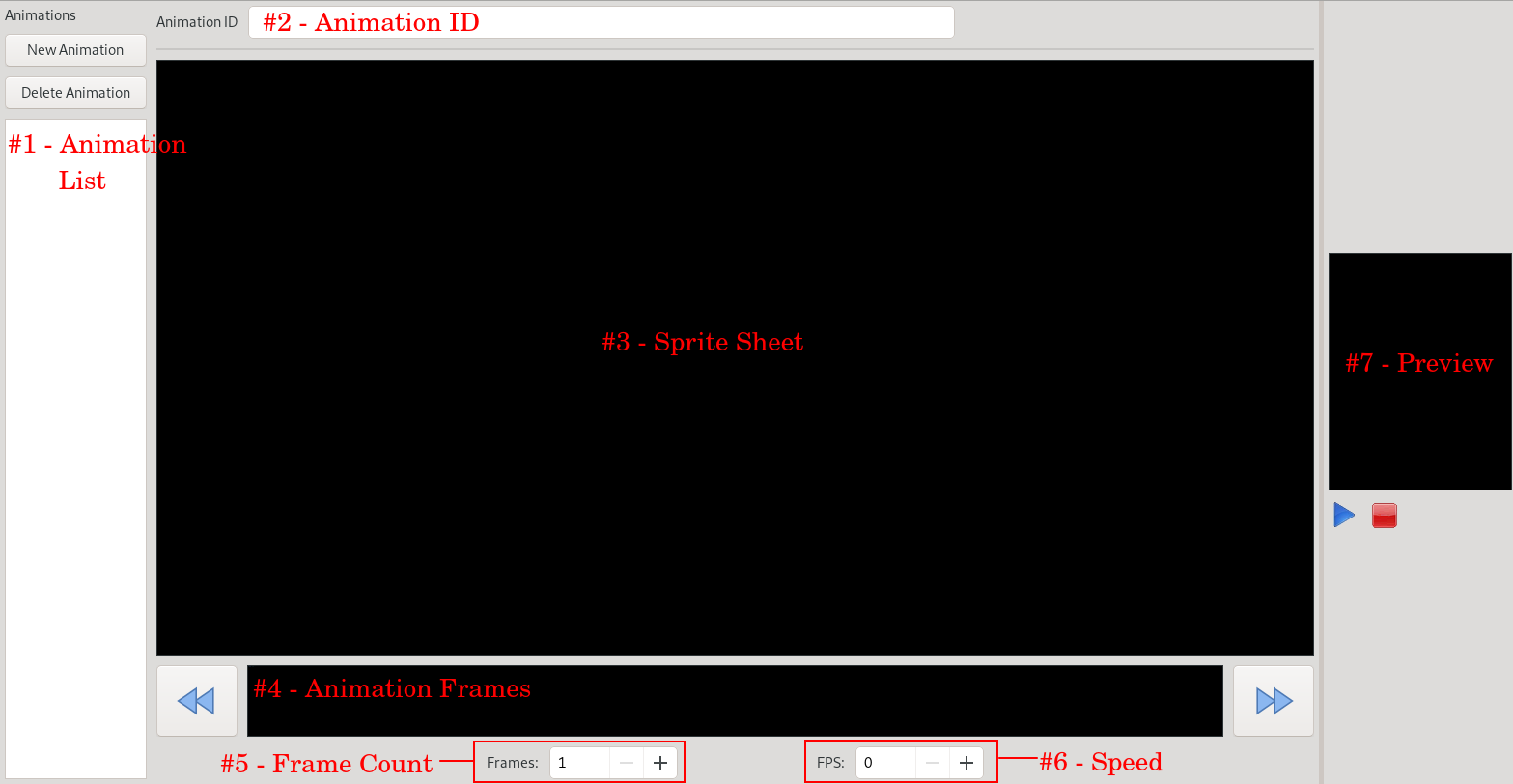
#1 - Animation List - This is the list of animations for the selected Sprite. Above the list are buttons for adding an animation and removing the selected animation.
#2 - Animation ID - This is the name of the current selected animation. You can change it from this field.
#3 - Sprite Sheet - This is where you can view the current sprite sheet and select a sheet frame to set as the currently selected animation frame in the Animation Frames Panel (#4).
#4 - Animation Frames - A horizontal layout of each frame in the animation.
#5 - Frame Count - Sets the number of frames in the current animation
#6 - Speed - Sets the number of frames per second the animation plays at
#7 - Preview - Plays the selected animation.
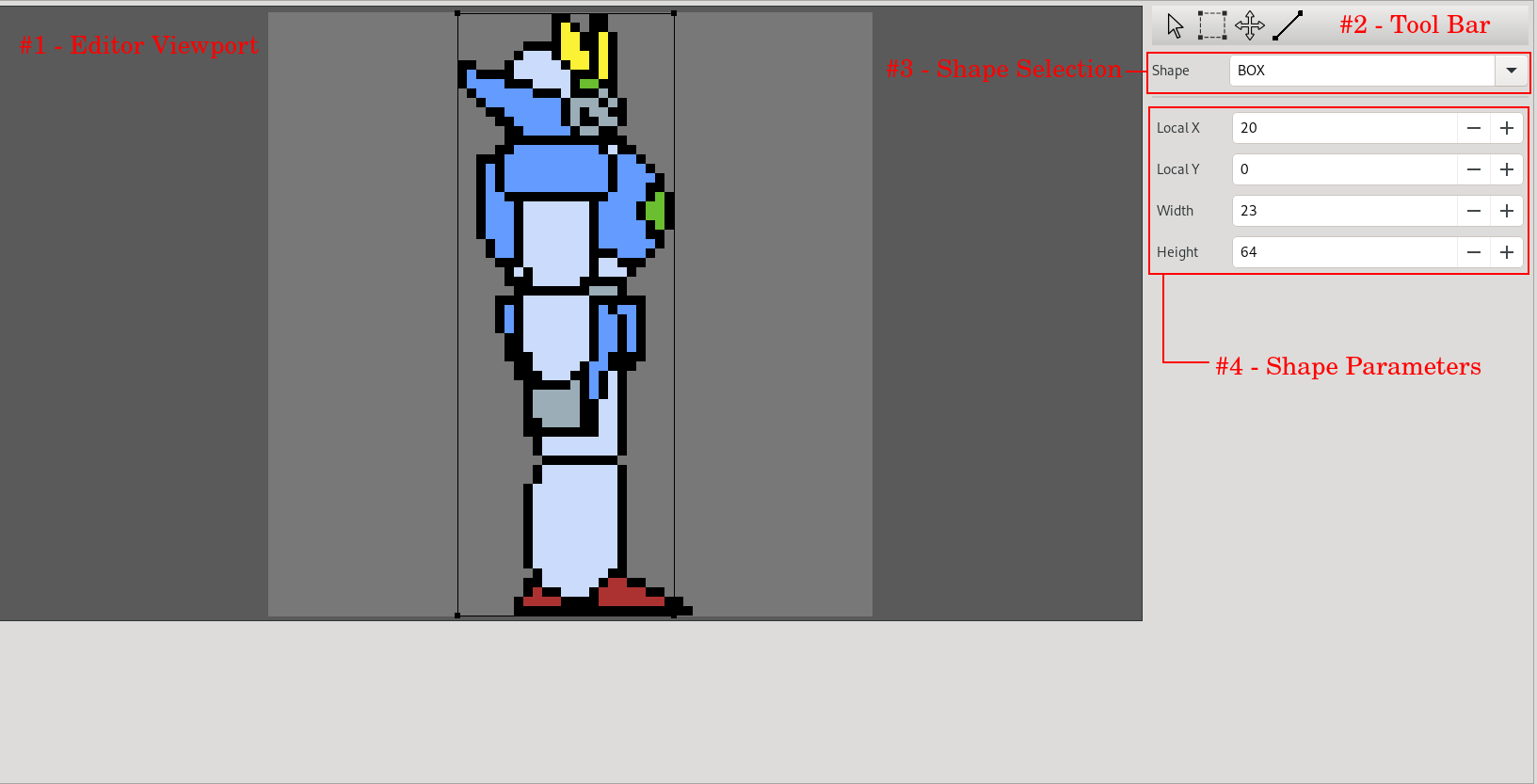
#1 - Editor Viewport - Here you can draw a polygon shape or move and resize box and circle shapes.
#2 - Tool Bar - Tools for editing the shape.
#3 - Shape Selection - Select the shape type
#4 - Shape Parameters - Change Parameters for the shape