
The scene editor performs the following functions
The project tree is where the project is organized. To be able to add actors to a project there must be an active stage.
NOTE: A stage will be bold in the tree view when its active.
The scene view is where most of the work is done.
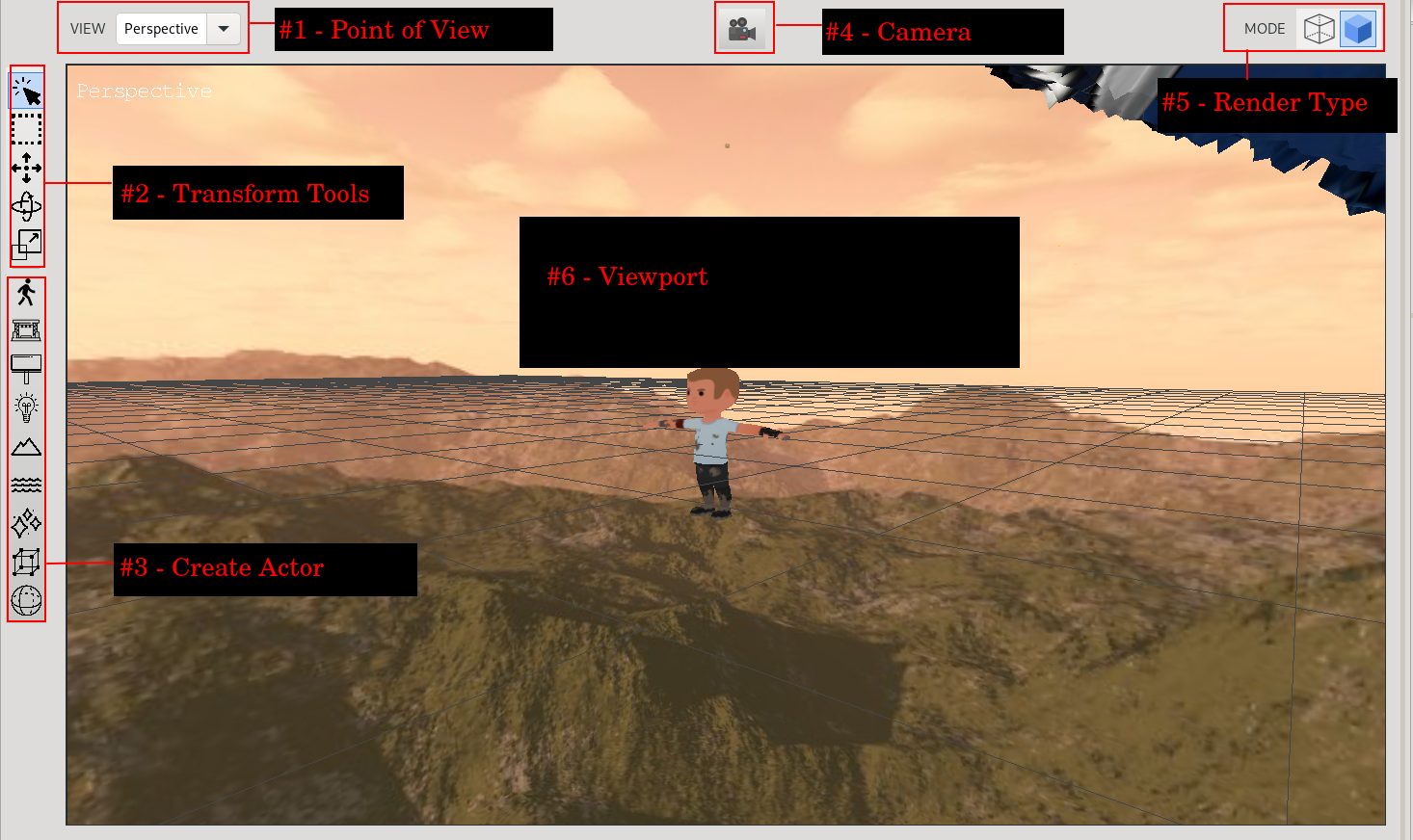
These are the main controls for navigating through the scene: